How to figure out which bills your next paycheck can cover
If you’ve ever stared at your bank balance a few days before payday wondering “which of these bills can I actually pay?” — you’re not doing anything wrong. You’re asking a cashflow question, and most money apps are built to answer a different one.
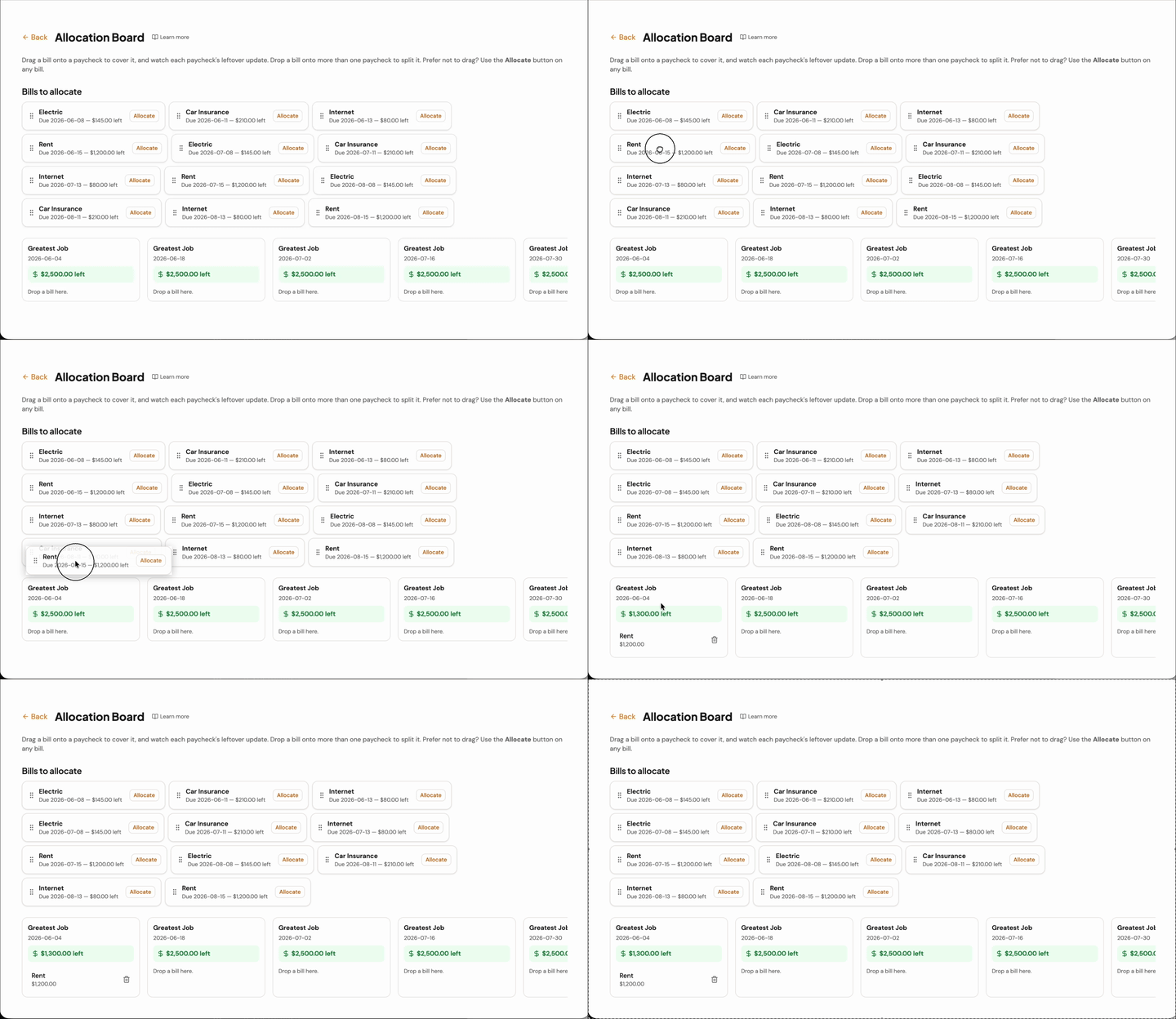
Drag a bill onto the paycheck that pays it, and the leftover updates instantly — the method this post describes, automated.
Budgeting tells you the amount. It doesn’t tell you the timing.
A budget answers “where should my money go?” — rent gets this much, groceries get that much. That’s useful. But you can run a perfect budget and still overdraft, because a budget doesn’t tell you when each dollar needs to be there. Rent is due the 1st; your paycheck lands the 3rd. The amounts were right; the timing wasn’t.
The fix: match specific bills to specific paychecks
Instead of sorting money into category envelopes, line up your paychecks and your bills on a calendar and answer one question per paycheck:
Which bills does this paycheck need to cover before the next one arrives?
Here’s the whole method:
- List your paychecks for the next 30–60 days, with the date and amount of each.
- List the bills due in that window, with their due dates.
- Assign each bill to the paycheck that lands before it’s due. A bill due the 10th gets paid by the paycheck you receive on the 3rd.
- Read the leftover. After you’ve assigned a paycheck’s bills, what’s left is your real spending money until the next one — not a guess.
What you learn immediately
- Which paycheck is tight. If one paycheck has to cover rent and insurance and the car payment, you’ll see the squeeze before it happens — not at the overdraft.
- When to move a bill. Sometimes the fix is asking a biller to shift a due date by a week so it lands on the lighter paycheck.
- When to split a bill. If a bill is bigger than one paycheck can absorb, cover part of it now and the rest from the next paycheck — on purpose, instead of scrambling.
Doing it without the spreadsheet
You can absolutely do this on paper or in a spreadsheet — plenty of people do. The tedious part is recalculating every leftover by hand each time something moves.
PayPlanner Pro does exactly this method for you: drag a bill onto a paycheck and watch that paycheck’s leftover update instantly. It’s the same idea as the envelope method, except you’re dropping real bills onto the real paychecks that pay them — and you can try it free.